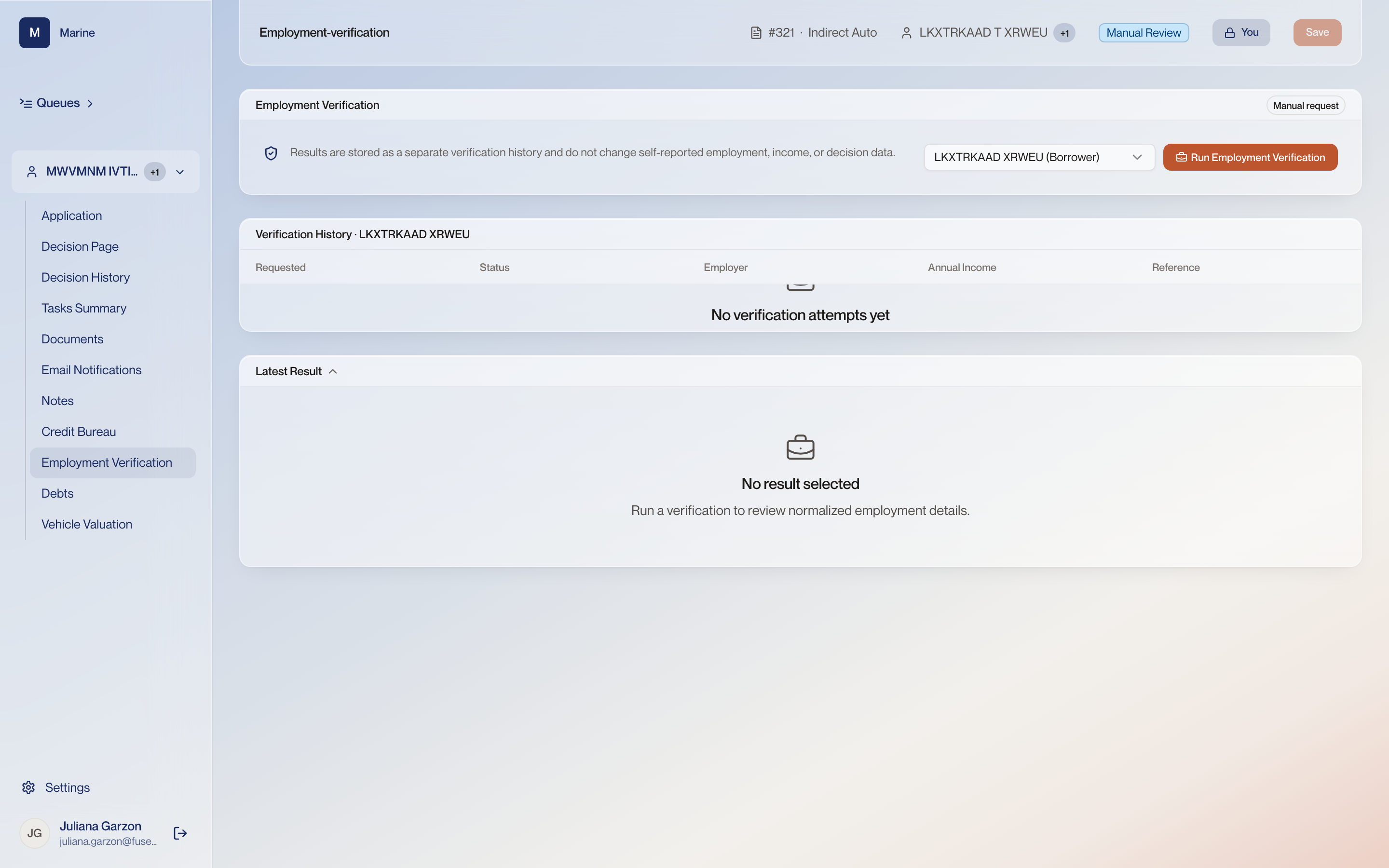
Reference · Reference: Employment Verification Reference: Employment Verification What the file records about where the applicant works and what has been verified. Come here when the income on the Decision Page needs a source. Every attempt stays in the history with the employer, income and reference that came back.
Employment Verification 1 What a verification does and does not touch “Results are stored as a separate verification history and do not change self-reported employment, income, or decision data.” Running a check never rewrites the application. If the verified income differs from what was self-reported, somebody has to act on that difference deliberately. 2 Whose employment The person selector — here the borrower, LKXTRKAAD XRWEU. One person at a time. Like the credit pull, this page shows one party. On a joint application the co-borrower needs their own run. 3 Run Employment Verification Sends the check for the selected person. Every run is an attempt on the record below, whatever it comes back with. 4 Manual request Requests the verification by hand instead of through the automated check. Some employers cannot be verified electronically. This is the path when the automated route returns nothing. 5 Verification History Every verification attempt for the person selected above, with the date requested, the status of the attempt, and the employer, annual income and reference that came back. Verification is run per person and each attempt is kept. The history is the proof the check was made and what it said at the time. 6 Latest Result The normalised detail of whichever attempt is selected in the history above — employer, income and dates as the provider returned them. This is where you read what the verification actually said, rather than only that it ran. Stated income and verified income are different numbers and both matter to the decision.