
Now onDecision Page (#321)
100%
What file you are in
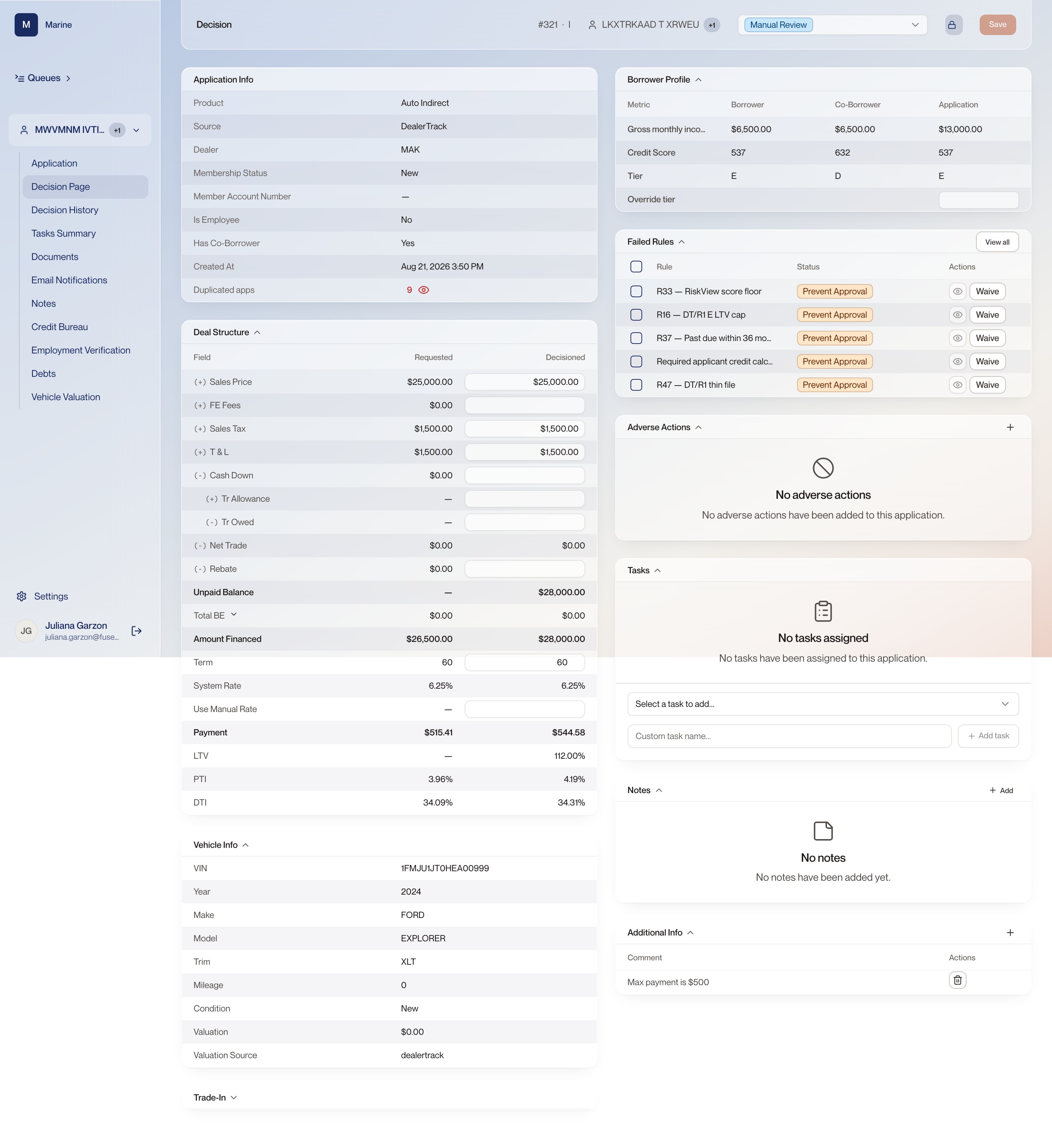
Opening a file puts the application number and the product across the top, then the applicant name. A +1 badge beside the name means a co-borrower, and hovering it shows that person's name without opening anything.
Why it matters
The badge tells you a file has two people on it before you open a single page.